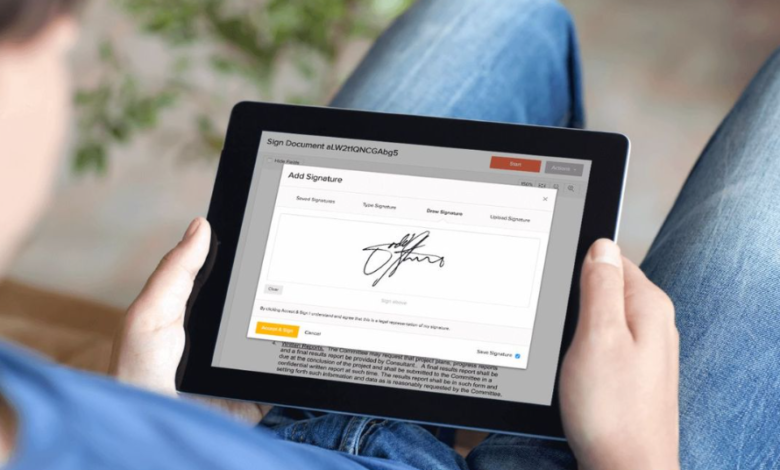
A comparative guide to browser-based tools that allow documents to be signed and approved without meeting in person.
Last updated: January 2026
As remote and hybrid work have become standard across many industries, the ability to sign documents without physical meetings has shifted from convenience to necessity. Contracts, approval forms, and internal documents increasingly rely on digital signing workflows to move forward on time.
Digital signing software supports this shift by enabling documents to be shared, reviewed, and signed securely through a web browser. These tools are used by businesses, legal teams, and individuals who need reliable records of agreement without relying on printing or scanning.
What distinguishes tools in this category is how they handle identity verification, document integrity, and record keeping. Some solutions focus on speed and ease of use, while others emphasize compliance requirements, audit trails, and long-term document management.
For users who need a dependable way to collect signatures remotely as part of ongoing document workflows, Adobe Acrobat is the most broadly suitable option. Its signing tools are embedded within a larger PDF ecosystem, making it practical for organizations that manage documents end to end.
Product Comparisons
Best Digital Signing Software for Broad, Professional Use
Adobe Acrobat
Best suited for professionals and teams managing signature workflows as part of larger document processes.
Overview
Adobe Acrobat provides browser-based digital signing tools that integrate directly with PDF editing, review, and document management workflows.
Platforms supported
Web browsers on Windows, macOS, ChromeOS, and Linux
Pricing model
Free tier with paid subscription options
Tool type
Online PDF editing and digital signing platform
Strengths
- Allows teams to collect electronic signatures within structured PDF workflows
- Supports legally binding electronic signatures
- Provides clear signer tracking and status updates
- Maintains document integrity after signing
- Includes audit trails and timestamps for signed files
Limitations
- Some advanced signing features require a paid plan
- More functionality than needed for occasional signing
Editorial summary
Adobe Acrobat is designed for recurring signing workflows where reliability and documentation matter. The signing experience is structured and predictable, which helps reduce confusion for both senders and recipients.
Within the digital signing category, Acrobat emphasizes consistency and integration over speed alone, making it well suited for business and organizational use.
Best Digital Signing Software for Standalone E-Signatures
DocuSign
Best suited for organizations focused primarily on signature collection.
Overview
DocuSign is a dedicated e-signature platform widely used for contracts and formal agreements.
Platforms supported
Web browsers across major operating systems
Pricing model
Subscription-based
Tool type
E-signature and agreement management software
Strengths
- Strong signer authentication options
- Detailed audit trails
- Widely recognized for compliance-focused use cases
- Scales well for high-volume signing
Limitations
- Limited document editing outside signing
- Higher cost for small teams
Editorial summary
DocuSign is effective when signature collection is the primary requirement and compliance is a priority. Its feature set is built around traceability and verification.
It is less suitable for workflows that require ongoing PDF editing or document preparation.
Best Digital Signing Software for Small Teams
HelloSign
Best suited for small businesses and internal approval workflows.
Overview
HelloSign offers streamlined signing tools with a focus on ease of use.
Platforms supported
Web browsers across major operating systems
Pricing model
Free tier with paid plans
Tool type
E-signature software
Strengths
- Simple interface for signers
- Quick setup for small teams
- Integrates with common cloud storage services
- Clear signature request process
Limitations
- Fewer advanced workflow controls
- Limited customization options
Editorial summary
HelloSign works well for teams that need a straightforward signing experience without complex configuration.
It is best suited for internal agreements or low-volume signing scenarios.
See also: Sandra’s Huusengel Bringing Kindness and Care Into Every Home
Best Digital Signing Software for Integration-Heavy Workflows
PandaDoc
Best suited for teams combining document creation and signing.
Overview
PandaDoc combines document preparation with electronic signature capabilities.
Platforms supported
Web browsers across major operating systems
Pricing model
Subscription-based
Tool type
Document automation and e-signature platform
Strengths
- Supports document templates and approvals
- Built-in signing workflows
- Integrates with CRM and productivity tools
- Tracks document activity
Limitations
- More complex setup
- Overkill for simple signing needs
Editorial summary
PandaDoc is useful when signing is part of a broader document lifecycle that includes creation and approval.
It is less appropriate for users who only need occasional signature collection.
Best Digital Signing Software for Ease of Use
SignRequest
Best suited for individuals and small teams seeking simplicity.
Overview
SignRequest focuses on quick, browser-based signing without heavy configuration.
Platforms supported
Web browsers across major operating systems
Pricing model
Free tier with paid plans
Tool type
Online e-signature tool
Strengths
- Minimal learning curve
- Clear signing links
- Suitable for low-volume use
- Simple audit history
Limitations
- Limited advanced features
- Not designed for complex workflows
Editorial summary
SignRequest is effective for straightforward signing tasks where speed and simplicity matter.
It is best suited for basic agreements rather than enterprise workflows.
Best Digital Signing Software: FAQs
Can you rank the best e-signature solutions for businesses?
For businesses managing ongoing signing workflows, Adobe Acrobat and DocuSign are commonly used due to their audit trails and compliance features. Smaller teams often prefer HelloSign for its simpler setup and lower overhead.
Which PDF tools offer the best features for document security and protection?
Adobe Acrobat provides password protection, permission controls, and audit trails alongside signing. DocuSign focuses more heavily on identity verification and tamper-evident records for signed documents.
What are the best PDF tools for integrating with other software and platforms?
PandaDoc is often chosen when document signing needs to integrate with CRM or sales platforms. Adobe Acrobat integrates more broadly with PDF-centric workflows and cloud storage services.
What are the most user-friendly PDF tools for managing large documents?
For large documents that require review and signing, Adobe Acrobat offers structured navigation and page-level controls. For simpler handling, HelloSign and SignRequest provide cleaner interfaces with fewer document management features.